What is children's "screen disease"? Don't wait until your child is myopic to regret it!
1. First understand: what is children's "screen disease"? (Video Terminal Syndrome)
Video Display Terminal Syndrome (VDTS) is not just an adult problem; now the prevalence among primary and secondary school students is rising — outpatient data show that among children who use electronic devices more than 4 hours a day, 80% develop related symptoms. In simple terms, prolonged viewing of phones, computers, tablets and other screens causes ocular and systemic discomfort, such as dry eyes, blurred vision, neck and shoulder pain, and insomnia; in severe cases it can also affect attention and growth and development.
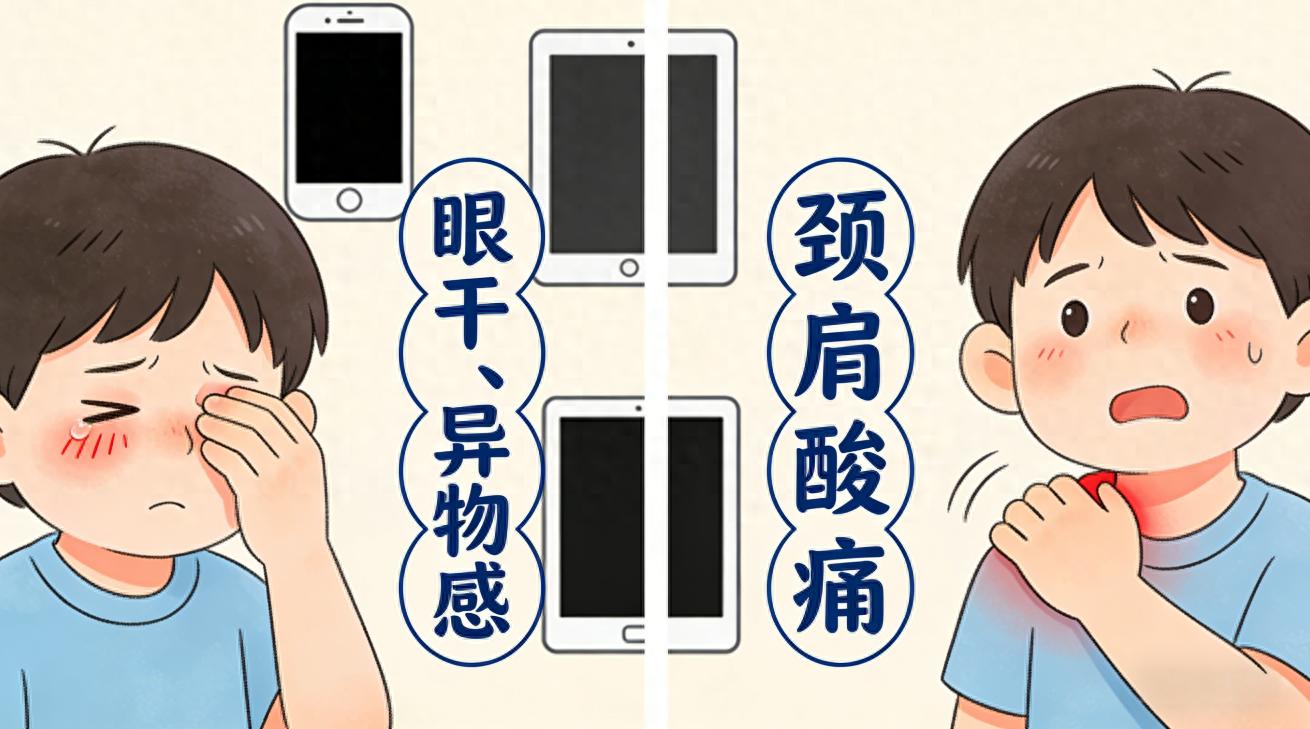
Last week I saw Lele, a third grader. The mother said the child attends online classes and then watches short videos after school, with nearly 6 hours of screen time per day. Recently the child has been rubbing the eyes a lot, saying “there’s sand in my eyes,” and during homework the child looks for a bit and then complains of dizziness. Visual acuity testing showed a decrease of 0.50 D compared with six months ago. Examination revealed that Lele does not have simple myopia but a typical “screen illness” — tear film instability (eyes too dry) + accommodative fatigue, plus prolonged head-down tablet use leading to tightness in the neck and shoulder muscles.
2. Why are children particularly susceptible to "screen disease"?
Compared with adults, children’s eyes and bodies are still developing and have less “resistance” to screens. The main reasons are threefold:
Eyes not fully developed: A child's crystalline lens has strong accommodative ability, but if they stare at a nearby screen for a long time, the ciliary muscle remains contracted "working overtime"; just as a constantly tense muscle becomes sore, over time this leads to visual fatigue and temporary decline in visual acuity. In addition, children have thinner tear films; when staring at a screen the blink rate drops from about 20 times per minute to 6 times, so the eye’s surface “moisture film” evaporates rapidly, naturally causing dry eyes and a foreign body sensation.
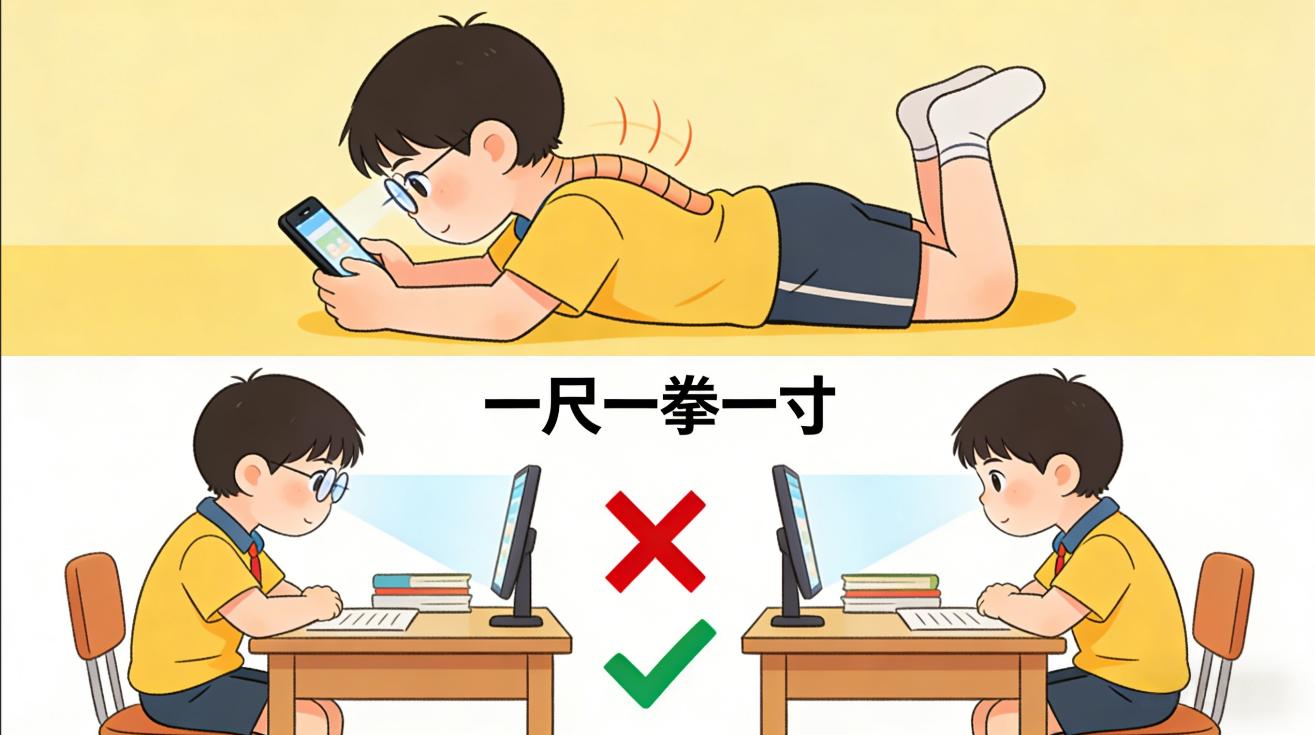
Poor posture: Does your child lie down to watch a phone or lie on their stomach to play on a tablet? In clinics we see many children who put a laptop on their lap to do homework or curl up on the sofa to scroll videos — these postures cause extra stress on the cervical spine (neck pressure when looking down is three times normal), the neck and shoulder muscles remain tense, and over time this leads to soreness, numbness, and can even affect spinal development.
Poor self-control: Adults can remind themselves to rest, but once children become addicted to games or short videos they lose track of time, sitting for hours without moving, and their eyes and bodies simply cannot tolerate it.
3. Watch out for these signs in children — be alert for "screen disease"!
Parents can check against this: if a child has two or more of these signs, intervention is needed:
Ocular signals: rubbing eyes, frequent blinking, reporting dry eyes, eye pain, blurred vision, photophobia (sensitivity to bright light);
Systemic signals: complaints of neck and shoulder pain, sore upper back, dizziness, headache, difficulty concentrating, insomnia or nightmares at night, decreased appetite;
Behavioral signals: cannot be separated from electronic devices, cries and fusses when they are taken away, decreased homework efficiency, easily irritable.
A reminder to parents: don’t treat the symptoms of "screen illness" as simple myopia! If a child reports blurred vision, don’t rush to prescribe glasses—first observe whether it improves after rest. Vision decline from "screen illness" is mostly temporary and can recover with timely habit adjustments; blindly prescribing glasses may instead convert pseudomyopia into true myopia.
4. Pediatricians' "Screen Prevention Guide" for Parents: Simple and Easy to Follow
Preventing "screen disease" depends on "controlling time, adjusting habits, and optimizing the environment." Here are several highly practical methods shared by parents in outpatient feedback:
1. Give screens a "budget": strictly control usage time
Lower grades (grades 1–3): For learning, single use of electronic devices should not exceed 20 minutes, with a daily total not exceeding 1 hour; for non-learning (watching videos, playing games), single use should not exceed 10 minutes, with a daily total not exceeding 30 minutes;
Upper grades (grades 4–6): For learning, single use should not exceed 30 minutes, with a daily total not exceeding 2 hours; for non-learning, single use should not exceed 15 minutes, with a daily total not exceeding 1 hour;
Core principle: Absolutely no electronic devices during the 1 hour before bedtime (screen blue light suppresses melatonin and affects sleep, and poor sleep affects growth hormone secretion), and never look at screens while eating or walking.
My suggestion to Lele’s mother was to use the phone’s “Screen Time” feature: during study periods only allow online class apps, and set an automatic lock after 15 minutes during entertainment periods — it worked particularly well; after a week Lele no longer kept asking to watch videos.
2. Remember two “small rules”: protect the eyes and maintain posture
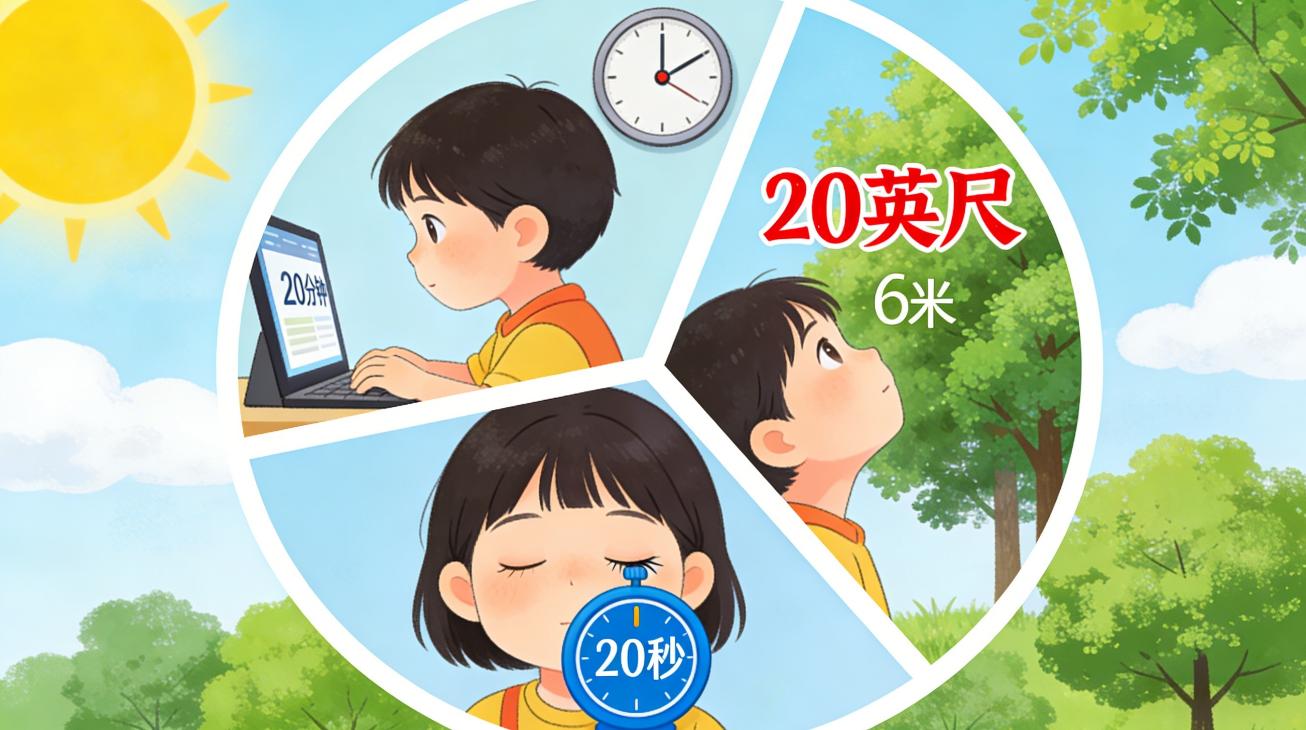
Eye protection “20-20-20 rule”: every 20 minutes of screen viewing, look up at something 6 meters away (for example, a tree outside the window or a distant building) for 20 seconds to relax the eye muscles;
Seated posture "one chi, one fist, one inch": eyes one chi from the screen (about 30 cm), chest one fist away from the desk, fingers holding the pen one inch from the nib; when using a computer the screen center should be 15 cm below eye level, with the line of sight 30 degrees downward, which is more comfortable for the cervical spine.
Lele used to always lie over the desk when using a tablet; the mother adjusted the desk height to this standard, placed the tablet on a stand to raise it, and added timed reminders to look into the distance, and after a week said, "My eyes aren't as dry."
3. Optimize the "screen workstation": make the environment more eye-friendly
Lighting should be soft: don’t let children view screens in the dark, and avoid direct sunlight on the screen (which causes glare); use a soft desk lamp indoors, placed to the side and behind the screen, to avoid strong light stimulation;
Choose the right screen: prioritize larger screens (TV, desktop computer), which are more eye-friendly than phones or small tablets; set screen brightness to roughly match ambient light—don’t make it too bright or too dim—and enable “eye protection mode” (reduced blue light);
Maintain adequate humidity: place a humidifier in air-conditioned rooms and keep humidity at 50%–60% to reduce ocular moisture evaporation and relieve eye dryness.
4. Parents should be a “role model,” not a “taskmaster”
Many parents tell their children to reduce screen time while they themselves scroll on their phones until midnight — children learn by following their parents! It is recommended to set a fixed “screen-free time” each day for the whole family to read, walk, or play games together; this both reduces children’s dependence on screens and improves parent-child relationships. Lele’s mother later began taking her child to ride bikes in the neighborhood for half an hour every evening; the child not only spent less time on screens but also slept better.

5. What to do if the child has already developed symptoms?
If the child is already complaining of eye pain or neck and shoulder soreness, don’t panic; follow these steps:
First, "stop screen time": have the child move away from electronic devices, close their eyes and rest for 10 minutes, or gaze into the distance out the window for 20 minutes, while mobilizing the neck and shoulders (slowly turn the head, shrug the shoulders to relax);
"Moisturize" the eyes: If significant dry eye is present, under physician guidance use preservative-free artificial tears (for example, sodium hyaluronate eye drops) 3–4 times daily to relieve dryness;
Physical relief: apply a warm towel of about 40°C to the eyes for 10 minutes each time, twice a day, to promote ocular blood circulation; for neck and shoulder soreness, gently massage the posterior neck muscles with the palm, or you can apply a thermal patch for relief;
Seek prompt medical attention: If symptoms persist for more than 1 week (for example, blurred vision that does not improve, worsening neck and shoulder pain, insomnia), be sure to take the child to the hospital to rule out myopia, cervical spondylosis, and other conditions so treatment is not delayed.

Finally, I want to say:
In the digital age it’s unrealistic to completely forbid children from touching screens, but we can use scientific methods to let them enjoy technological conveniences while protecting their health. Remember: a child’s eyes and spinal development happen only once; preventing “screen disease” is more important than treating it. The best “eye-protecting medicine” is sunlight and exercise—take children outdoors to run around and look at distant greenery more often; it works better than any eye-care product.
If parents have any further questions about their children's screen use or vision protection, please feel free to consult us at any time — protecting children's health is our shared responsibility!